Use LurkAPI as your Facebook Ads Library API and read Google’s, TikTok’s and LinkedIn’s ad libraries with the same key. Every call costs 1 credit, from $0.93 down to $0.59 per 1,000 calls, and brings back a full page of ads.
Per 1,000 ads, that works out to $0.093 on Meta, $0.0093 on Google, $0.077 on TikTok and $0.039 on LinkedIn. Pulling everything one competitor has live across all four platforms takes 9 calls, under 1 cent, and tracking ten competitors in a weekly Monday sheet runs $1.69 a month.
A page of Meta ads comes back in a median 756 ms, and new accounts start with 100 free credits.
What one call returns
| Library | What you get | LurkAPI endpoints | Ads per call | Per 1,000 ads |
|---|---|---|---|---|
| Meta (Facebook, Instagram) | Every active or past ad for a page: copy, creative, CTA, landing URL and start date | page ID by name, a page’s ads, full ad details | Up to 30 on page one, 10 after | $0.093 to $0.059 |
| Google (Search, YouTube, Maps, Play, Shopping) | Every ad tied to a domain: format, first and last seen, total days active, with a YouTube filter | advertiser by name, a domain’s ads, full ad copy and landing page | Up to 100 | $0.0093 to $0.0059 |
| TikTok | Search by advertiser or keyword for captions, video or image creatives, run dates and view counts | ads by advertiser or keyword, landing page, targeting and reach | 12 | $0.077 to $0.049 |
| Search by company or keyword for format, headline, copy, payer and run dates | ads by company or keyword, full ad copy, payer and dates | Around 24 | $0.039 to $0.025 |
GET/v1/facebook/adLibrary/company/ads
1 credit per requestRun it to see live data here.
All four libraries in one CSV
Pull all four libraries into a single sheet with one row per ad: platform, format, first seen, last seen, days running, landing page, copy and a direct link. Running that on Adobe pulled 186 rows from 42 calls in 47 seconds.
Sort by days_running and you spot the winners right away: five of Adobe’s Google Search ads have been live since 25 October 2021 (1,850 days), and its longest-running YouTube spot sits at 536 days. Filter to new_this_week instead and you see 73 fresh ads, 50 on Meta alone, with 45 of those pushing the same student offer.
For more on what to do with the sheet, read how long Facebook ads run and tracking a competitor’s posts.
Prices
| Job | Calls | LurkAPI |
|---|---|---|
| One competitor across all four libraries, once | 9 | Under $0.01 |
| One competitor's Monday sheet (186 ads) | 42 | $0.039 |
| 10 competitors, every Monday, for a month | 1,820 | $1.69 |
| That same schedule for a year | 21,840 | $20.28 |
Your credits never expire, so a single $39 Pro pack covers that weekly sheet for 23 months. On the $295 Growth pack, the rate drops to $0.59 per 1,000 calls, and failed calls never cost a credit.
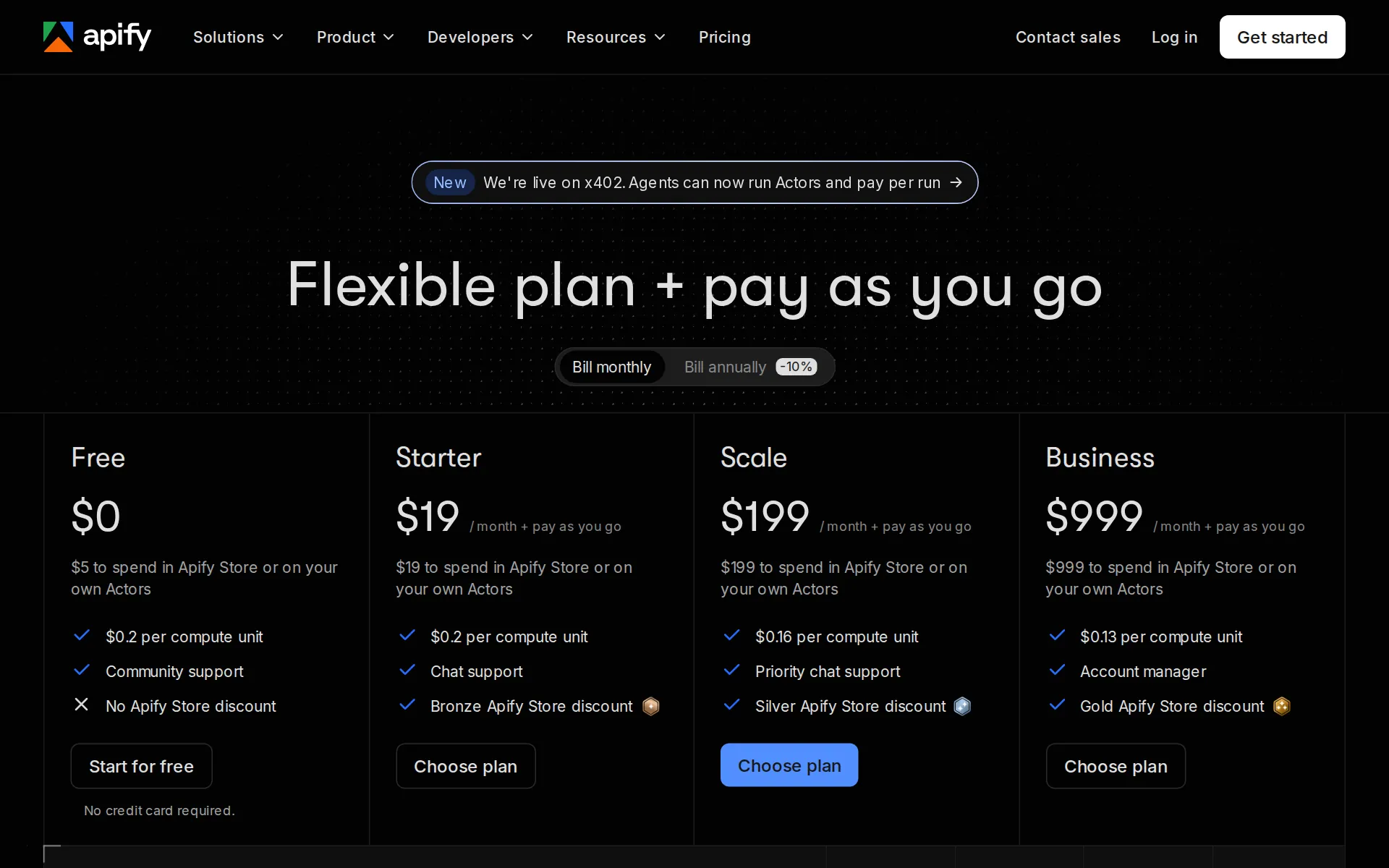
Apify’s own Meta ads actor runs $5.00 per 1,000 ads on top of its $19 Starter plan, compared to $0.093 on LurkAPI, which is 54 times cheaper. For the 2,167 Meta ads in that monthly sheet, you pay $19 on Apify versus $0.12 here. See LurkAPI against Apify and what Apify scrapers cost.
On ScrapeCreators with the same paths, the smallest pack is $1.88 per 1,000 calls, putting the monthly workload above at $3.42 compared to $1.69 on LurkAPI. Moving over only takes swapping the base URL and key: LurkAPI against ScrapeCreators.
If you only need one library at a time, check out the Meta Ad Library API, Facebook Ad Library scrapers compared and the Google Ads Transparency API. You can also test searches free in your browser with our Facebook Ad Library search and Google Ads Transparency search.
Your 100 free signup credits are enough to pull one competitor across all four libraries (9 calls) and run two full Monday sheets. Grab an API key or check our credit packs.
Copy for AI
Use LurkAPI to pull every active ad Adobe is running across the Meta, Google, TikTok and LinkedIn ad libraries. Output one CSV with a row per ad (platform, format, first seen, last seen, days running, landing page, copy and a link), highlight the ads that launched this week and tell me how many credits the run used.
Or connect LurkAPI to your app in one click: