You want one X account’s posts where your team already reads: a news wire in the trading channel, a regulator in #compliance, a competitor in #marketing. On your own phone, X does this for free: follow the account, tap the bell on its profile and choose All posts. A shared channel needs something that checks the account and forwards what’s new.
That can be 25 lines of Python. Every 5 minutes it asks LurkAPI, an API that returns public social media pages as JSON, for the account’s latest posts and sends anything new to a Discord or Slack webhook. You don’t need an X developer account, alerts land about 2.5 minutes after the post on average, and one account costs the same $5.10 to $8.02 a month whether it posts twice a day or 300 times.
The script: 25 lines and a webhook
# x_monitor.py: post to a Discord or Slack channel when an X account posts.
# pip install requests; then LURK_KEY=... WEBHOOK_URL=... python x_monitor.py
import os, time, requests

HANDLES = ["business", "WatcherGuru"]
KEY, WEBHOOK = os.environ["LURK_KEY"], os.environ["WEBHOOK_URL"]
FIELD = "content" if "discord.com" in WEBHOOK else "text"  # Discord vs Slack
EVERY = 300  # seconds: the endpoint is fresh within 5 minutes

newest = {}  # handle -> id of the newest post seen
while True:
    for h in HANDLES:
        try:
            r = requests.get("https://api.lurkapi.com/v1/twitter/user-tweets", params={"handle": h},
                             headers={"x-api-key": KEY}, timeout=30).json()
            if not r["success"] or r["ordering"] == "ranked":  # ranked: X shows no timeline for this account
                print(h, r.get("code") or "ranked"); continue
            fresh = sorted((t for t in r["tweets"] if int(t["id"]) > newest.get(h, 1 << 63)), key=lambda t: int(t["id"]))
            for t in fresh:
                verb = "reposted" if t["retweeted_tweet"] else "posted"
                requests.post(WEBHOOK, json={FIELD: f"@{h} {verb}: {t['text'][:300]}\n{t['url']}"}, timeout=10)
            newest[h] = max([newest.get(h, 0)] + [int(t["id"]) for t in r["tweets"]])
        except Exception as e:
            print(h, e)
    time.sleep(EVERY)
Setup takes a few minutes:
- Make a webhook. In Discord: Server Settings, Integrations, Create Webhook, pick the channel, Copy Webhook URL (Discord’s guide). In Slack: create an app, turn on Incoming Webhooks, then Add New Webhook to Workspace (Slack’s guide).
- Get a LurkAPI key. New accounts start with 100 credits.
- Put your accounts in
HANDLES, setLURK_KEYandWEBHOOK_URL, and runpython x_monitor.py.
It only makes outgoing requests, so it runs on anything that stays on, a small VPS or a Raspberry Pi, with no port to open. The first poll just notes each account’s newest post, so starting it doesn’t dump 20 old posts into the channel. After that, each new post goes out oldest first with its link, and reposts say so.
User tweetsAn account's tweets and retweets, about 20 per page, with text, media and engagement counts.GETapi.lurkapi.com/v1/twitter/user-tweets1 credit per callRead the docs An alert waits for your next poll
The script only sees a post when it polls. A post that goes up just after one waits almost a full interval; a post that goes up just before one is in your channel seconds later. On average you wait about half your interval.
Don’t poll faster than every 5 minutes. The endpoint serves each account’s page for up to 5 minutes before fetching it again, so a poll every minute gets the same page four times in five.
Pick the interval by how soon you need to know
A shorter interval means faster alerts and more calls, at 1 credit a poll. Here’s the trade on Bloomberg’s @business, which posts every 5 minutes around the clock.
| Poll every | A month |
|---|---|
| 5 min | 8,640 credits $5.10 to $8.02 |
| 15 min | 2,880 credits $1.70 to $2.67 |
| 1 hour | 720 credits $0.42 to $0.67 |
Each poll sees the account’s latest 20 or so posts, so pick an interval in which the account posts fewer than that. Even @business, at about 12 posts an hour, fits in one poll an hour.
X’s own API bills the other way, per post. Its Activity API pushes each new post to your webhook for $0.005, replies and reposts included (X’s pricing as of October 2026). Before the first one arrives you need a developer account, an app, prepaid credits and a public HTTPS endpoint that answers X’s security check every hour. At about 290 posts a day, @business would cost about $43 a month on X; polling it every 5 minutes costs $5.10 to $8.02.
Check the account first: some big ones have no timeline
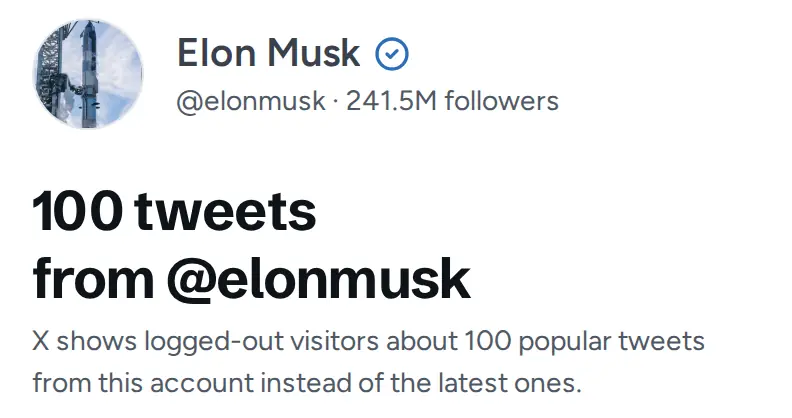
For some large accounts, X doesn’t show logged-out visitors a timeline at all. It shows about 100 popular posts from all years instead, in no particular order, so the newest post isn’t reliably on top. @elonmusk, @Reuters and @nytimes are like this, and so are headline accounts like @DeItaone and @FirstSquawk. Size doesn’t predict it: @NASA, with 92 million followers, has a normal timeline, and @FirstSquawk has under 600,000.
Every response says which one you got: ordering is chronological or ranked. The script skips a ranked account and prints its name rather than send old posts to your channel. Protected accounts return 404, and the feed leaves out an account’s replies to other people, apart from its own threads.
To check an account before you add it, put its handle in the free Twitter viewer. It shows the posts your monitor would see and tells you when X sends the ranked set.